NV Insights0.5.0
Publisher Description
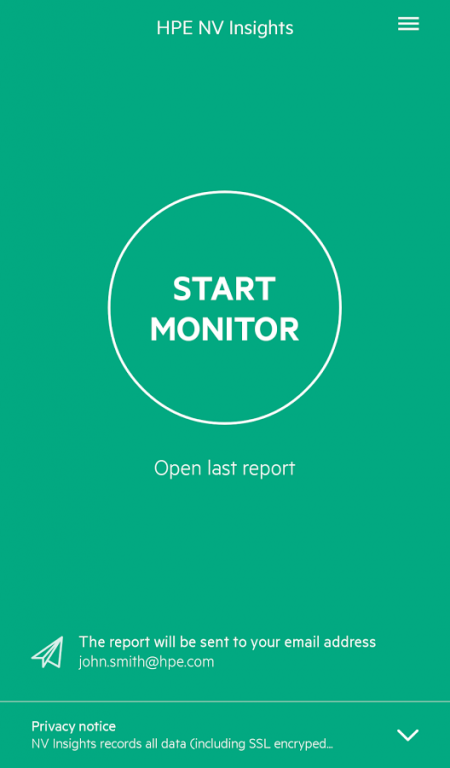
HPE Network Virtualization Insights: A free, easy to use, tool for quick network performance analysis of secure mobile applications and web pages.
Using the tool you can easily learn how your mobile application or website utilize the network, gain knowledge of how remote users experience your application and obtain actionable optimization guidelines that will allow you to enhance your application performance and optimize it for all users.
Using HPE Network Virtualization and Analytics coupled with our cloud service we can:
• report how the application will behave over different network conditions.
• report on important key findings that you should consider when trying to improve your application.
• report specific resources that take very long time to download over poor network conditions.
• The report includes most of HPE NV Analytics reports including HTTP/S waterfall, optimizations and resource breakdown reports.
Getting started with NV Insights is very easy:
1. Install NV Insights Mobile application on your Android device from www.hpenv.com.
2. Open the application and Install NV Proxy certificate on your device.
3. Use the application to register and login to our NV Insights cloud service.
Running tests with NV Insight is also very simple:
1. Make sure you are connected to the Internet via WiFi and click on ‘Start Monitor’ in the application. This will configure the device to use our cloud based proxy. Note that Android 6 and above require an additional manual step of coping the proxy settings into the device settings.
2. Now just use your application as a real use would.
3. When finished click on ‘Stop Monitor’.
4. After few minutes you should get an email with a link to download your analytics report.
NV Insights records all data (including SSL encrypted data) that is transferred through your device during the monitoring process. The recorded data is used for generating an HTML-based NV Insights Report. The recorded data is deleted immediately after the NV Insights Report is generated. NV Insights Reports are stored in private HPE storage for 14 days. During this period, you can use your user name and password to access your NV Insight Report on the web. If you need access to the report after that time period, please save it locally on your computer.
The recorded data and the NV Insights Reports may include sensitive personally identifiable information. We don’t use the recorded data for any purpose other than generating NV Insights Reports and we are not sharing the reports with anyone.
For farther information about HPE Network Virtualization and NV Insight please visit http://www8.hp.com/us/en/software-solutions/network-virtualization/index.html
Or email us at NVInsights@hpe.com.
About NV Insights
The company that develops NV Insights is Hewlett Packard Enterprise Company. The latest version released by its developer is 0.5.0.
To install NV Insights on your Android device, just click the green Continue To App button above to start the installation process. The app is listed on our website since 2016-12-06 and was downloaded 47 times. We have already checked if the download link is safe, however for your own protection we recommend that you scan the downloaded app with your antivirus. Your antivirus may detect the NV Insights as malware as malware if the download link to com.hp.nv.cloudMonitor is broken.
How to install NV Insights on your Android device:
- Click on the Continue To App button on our website. This will redirect you to Google Play.
- Once the NV Insights is shown in the Google Play listing of your Android device, you can start its download and installation. Tap on the Install button located below the search bar and to the right of the app icon.
- A pop-up window with the permissions required by NV Insights will be shown. Click on Accept to continue the process.
- NV Insights will be downloaded onto your device, displaying a progress. Once the download completes, the installation will start and you'll get a notification after the installation is finished.
